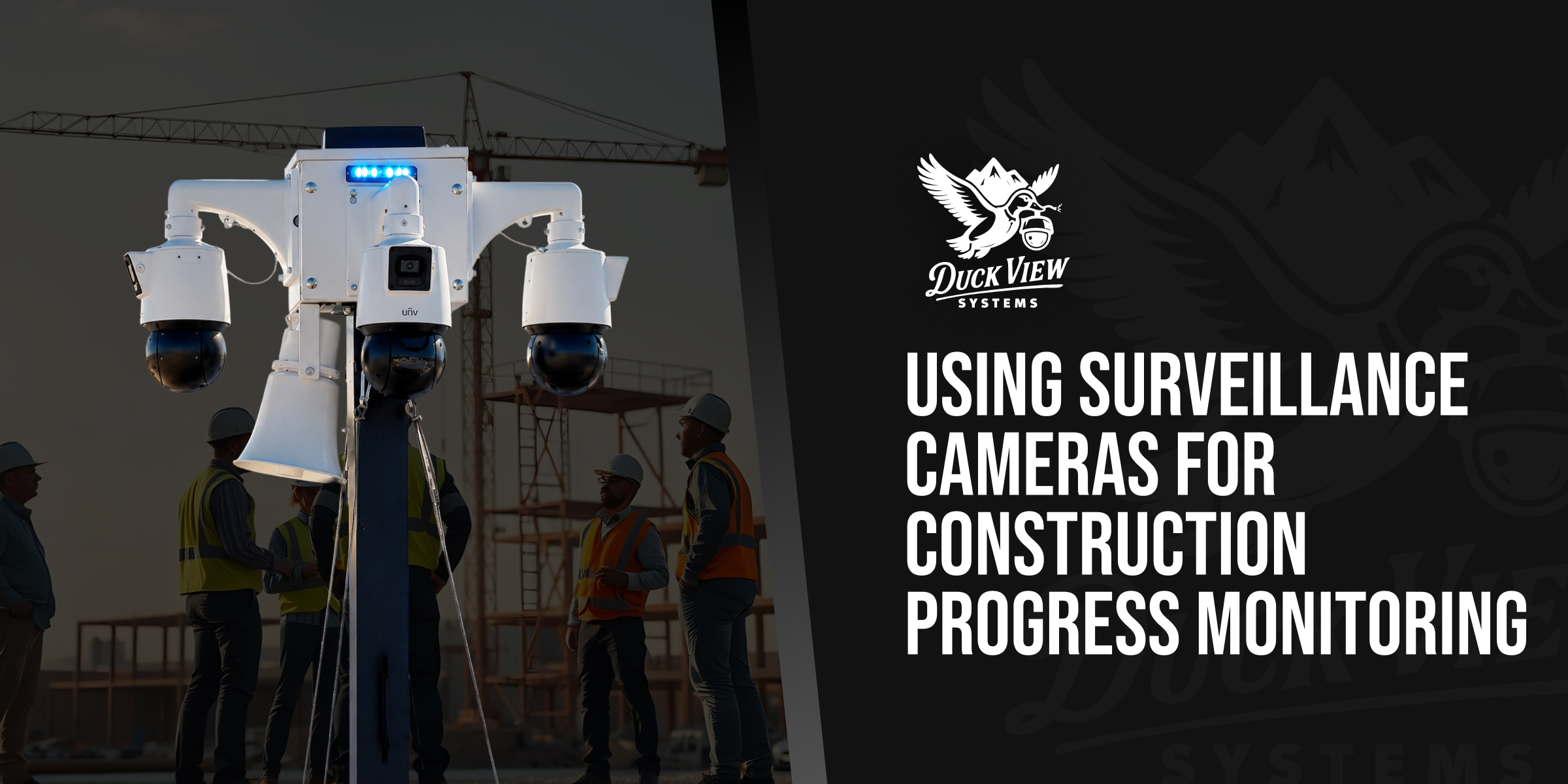
Construction progress monitoring means using site cameras to document work, verify milestones, and track subcontractor activity without a project manager driving to the site. General contractors and owners managing multi-phase builds need more than a memory of what happened last Tuesday, because construction site surveillance cameras create a dated, searchable record of every pour, delivery, and crew rotation. We manufacture solar-powered, AI-equipped mobile surveillance units at our Kaysville, Utah facility, and construction firms already using our systems for theft and vandalism prevention often discover the same hardware solves a second problem: proving what happened on-site and when. In this article, you’ll learn how progress monitoring works, what it verifies, and how to combine it with full site coverage.
Quick Answer: Construction progress monitoring uses AI-powered site cameras to capture time-stamped footage of work, deliveries, and crew activity, so project managers can verify milestones, resolve disputes, and reduce site visits.
What Is Construction Progress Monitoring?
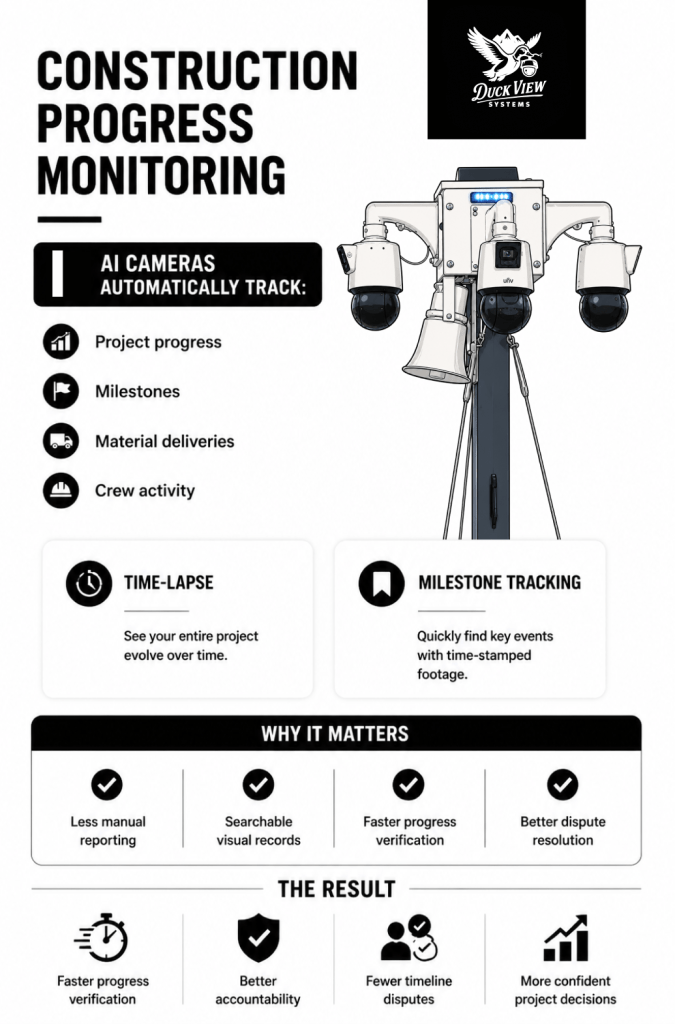
Construction progress monitoring is the practice of using cameras and AI software to record and organize visual evidence of a project’s advancement over time. Instead of relying on periodic site visits or verbal updates from a foreman, project managers pull up time-stamped footage that shows exactly what work was completed, when materials arrived, and who was on-site during any given shift. This turns a subjective status report into an objective visual record.
Time-Lapse and Milestone Documentation Explained
Time-lapse documentation compresses hours or days of footage into a short, reviewable sequence that shows a foundation pour, a framing phase, or a full building shell taking shape. Milestone documentation works differently. It captures discrete moments, like the day a specific inspection passed or a delivery arrived, and tags them so they can be pulled up individually rather than scrubbed for.
Our construction progress monitoring feature applies both approaches automatically, tagging events as they happen so a project manager can review a milestone in seconds instead of searching hours of raw footage.
Manual documentation methods create gaps that visual monitoring closes. A superintendent’s handwritten daily log depends on someone remembering to write it, a phone photo depends on someone remembering to take it, and both depend on someone remembering to file it where it can be found later. A camera does not forget, does not skip a shift, and does not lose the file.
This does not replace daily logs or formal reporting. It supplements them with a visual backbone that confirms or corrects what the written record says, which matters most when a written entry and a visual record disagree.
Verifying Work and Milestones Remotely
Verifying work remotely means confirming a completed task without physically walking the site. A project manager reviewing three active builds across a metro area cannot be at each one every day, and progress monitoring closes that gap by delivering the visual proof a site visit would otherwise provide.
Reducing Unnecessary Site Visits
Every unnecessary site visit costs a project manager drive time, fuel, and hours that could go toward scheduling, procurement, or client communication. Remote playback lets a manager confirm that framing passed inspection or that a slab cured on schedule from a phone or laptop, reserving in-person visits for issues that genuinely need a physical presence.
Real-time playback also shortens the loop between a question and an answer. If an owner asks whether the roof deck is dried in before a rain event, a manager with live camera access answers immediately instead of calling the site super and waiting for a reply.
Multi-site portfolios benefit the most. A regional builder running four active projects across a county cannot physically walk all four in a single day, but a manager can review overnight footage from all four in the time it would take to drive to just one. That reallocated time goes toward scheduling, procurement, and client calls instead of windshield time.
Weather delays are another common verification point. Instead of taking a foreman’s word that rain shut down concrete work for a full day, a manager can review footage and confirm the exact hours lost, which matters when that delay becomes a line item in a schedule extension request.
Tracking Deliveries and Subcontractors

Tracking deliveries and subcontractors means using camera footage to confirm exactly when materials arrived, how long a crew was on-site, and whether scheduled work actually happened during the window it was assigned. This closes a common accountability gap on multi-trade projects.
Activity logs built from AI-tagged footage give a project manager a record of every truck that entered the site, every crew that checked in, and every gap between scheduled and actual work. On a project with a dozen subcontractors rotating through different phases, that record answers questions before they become disputes.
Accountability improves when everyone on a project knows their time on-site is documented. A subcontractor who knows a delivery timestamp exists is less likely to dispute whether materials arrived on schedule, and a crew that knows its work window is logged has less room to claim a task was finished when it was not.
This works both directions. A subcontractor who completed a scope on time and on spec has the same footage to prove it if a general contractor questions the work later. Documentation protects an honest crew from a wrongful accusation just as much as it protects a project manager from a false claim.
Material verification benefits too. When a delivery ticket lists a quantity that does not match what a crew reports unloading, footage settles the question without a phone call to the supplier or a re-count on-site. The same applies to equipment left idle: footage showing a rented excavator sitting unused for three days is useful information for anyone tracking rental costs against schedule.
Resolving Disputes With Timestamped Footage

Timestamped footage resolves disputes by replacing conflicting verbal accounts with a dated visual record that both parties can review. Construction disputes over delays, damaged work, or incomplete scope are common enough that industry dispute-resolution bodies maintain standing procedures for them, and thorough, contemporaneous documentation is the standard defense against a weak claim.
Building a Timestamped, Chain-of-Custody Record
Our Case Reporting tool compiles logged events, footage clips, and notes into a shareable report with a documented chain of custody, the kind of record that Caltrans requires project teams to retain for every claim filed on a public construction contract.
A chain-of-custody record matters because a single frame pulled from a phone camera invites questions about when it was taken and whether it was altered. A system-generated, automatically time-stamped clip carries less doubt, since the timestamp and the footage originate from the same source at the moment of capture.
General information note: this article describes documentation practices, not legal advice. Confirm your jurisdiction’s specific evidentiary and retention requirements with legal counsel before relying on footage in a formal claim.
| Evidence Type | Strength | Limitation |
| Verbal account | Fast to give | Memory fades; hard to corroborate later |
| Handwritten daily log | Creates a paper trail | Depends on consistent manual entry |
| Phone photo | Visual proof of a moment | Timestamp and chain of custody are easy to question |
| System-tagged, time-stamped footage | Automatic, continuous, dated at capture | Requires a camera positioned to capture the event |
Disputes over scope, delay, or damaged work are rarely resolved by whoever argues loudest. They are resolved by whoever has the clearer record. A general contractor with dated footage showing a subcontractor’s crew left a site two hours early on a disputed day has a materially stronger position than one relying on a supervisor’s recollection weeks later.
Combining Progress Monitoring and Full Site Coverage
Combining progress monitoring with full site coverage means running documentation and security on the same hardware instead of buying separate systems for each job. A construction site monitoring system deployment already covers the perimeter for theft and trespassing, so the same units capture progress footage without an additional installation.
One system doing two jobs is more efficient than two separate ones. A camera positioned to catch after-hours intrusion at the material laydown yard is also positioned to catch when that lumber was delivered and when it was moved into the structure. There is no separate documentation camera to budget, wire, or maintain.
For a full breakdown of how a single deployment covers theft, vandalism, and PPE compliance alongside progress documentation, see our complete construction site surveillance.
Coverage also does not need to move when the risk on-site changes. Early phases expose a site to theft of tools and materials during grading and foundation work, while later phases shift the risk toward finish-out theft and after-hours trespassing. The same mobile unit that documented the foundation pour in week one is still recording, still deterring, and still generating the same searchable archive when the crew is hanging drywall months later.
Finding Footage Fast With Natural Language Search
Finding footage fast means typing a plain-language description instead of scrubbing through hours of recorded video. Our Natural Language Search feature lets a project manager type a query like “lumber delivery Tuesday afternoon” or “person on site after 6 pm” and jump directly to the matching clip.
This matters more as a project generates weeks of continuous footage. Scrubbing through raw video to find one delivery or one disputed task wastes hours that a searchable, tagged archive eliminates. A foreman verifying a delivery or a manager preparing a stakeholder update gets the answer in seconds instead of scheduling time to review footage manually.
Combined with our AI Patrol feature, which sweeps designated zones on a schedule, a project gets both continuous coverage and a fast way to locate any specific moment within it.
The same search works for progress updates aimed at clients or investors. A project manager preparing a monthly report can pull footage tagged “foundation complete” or “framing east wing” and drop the clip directly into a stakeholder update, instead of asking the site team to shoot new photos for the occasion.
Mobile Access for On-the-Go Project Teams
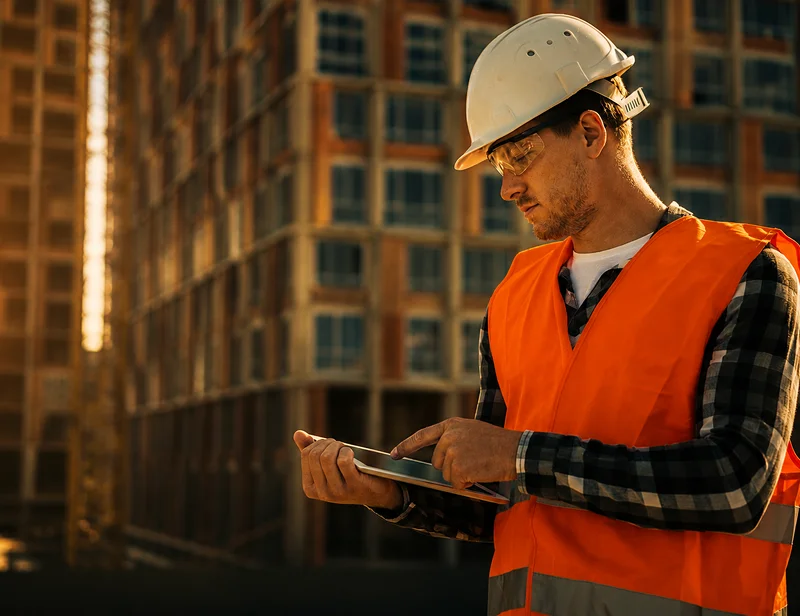
Mobile access means a project manager, owner, or superintendent can view live feeds, playback, and progress footage from a phone or tablet anywhere with cellular service. This matters most for teams managing several active builds at once, since it removes the need to be physically present to check on any single site.
A superintendent splitting time across two sites can confirm a concrete pour started on schedule at one location while standing at the other. An owner traveling for business can pull up a live feed before a client call to speak to real-time progress instead of a two-week-old update.
Granular permissions matter as more people get access to the feed. A general contractor can grant a client view-only access to a single camera angle while keeping full dashboard access for internal staff, or give a subcontractor visibility into only the zone where their crew works. Nobody needs blanket access to everything to get the visibility they actually need.
Getting Started With Progress Monitoring on Your Site
Getting started with progress monitoring means deploying a unit before the project’s earliest phase, since documentation gaps are hardest to fill retroactively. Our units arrive field-ready and connect to how Duck View Systems deploys units, so there is no separate documentation-only setup to schedule.
What’s Included in a Deployment-Ready Monitoring Unit
Every Duck View Systems mobile surveillance unit ships with the same core hardware used for security, which is also what makes progress documentation possible from day one on-site.
| Spec | Detail |
| Footprint | 5 ft x 5 ft base |
| Mast height | 20 feet |
| Cameras | Three 360-degree PTZ cameras, 25x zoom, four camera feeds per unit |
| Power | Solar with battery backup |
| Connectivity | LTE |
| Deploy time | Under an hour, same-day on undeveloped sites |
Construction employment has stayed above 8.3 million workers nationwide, according to U.S. Bureau of Labor Statistics industry data, and the number of subcontractors, deliveries, and moving parts on an average job scales with that workforce. More parties on a site means more opportunities for a disputed timeline, which is exactly what continuous, dated documentation is built to resolve.
As Nate Salazar, Senior Director of Asset Protection & Safety at Sportsman’s Warehouse, noted, Duck View Systems has consistently demonstrated exceptional professionalism and industry-leading AI expertise across deployments. The same platform used for security can also provide continuous visual documentation that supports construction progress monitoring.
Mobile surveillance trailers typically run $1,400 to $2,300 per month, with most customers paying $1,650 to $2,000, per our published monthly pricing. Exact cost depends on site variables, monitoring add-ons, and lease length, so we route final numbers to a quote rather than posting one fixed figure.
A straightforward rollout for a new project looks like this:
- Position the unit before groundbreak so the earliest, least-protected phase of the project is documented from day one.
- Set zone priorities for material laydown areas, equipment yards, and active work zones so the AI knows what to watch most closely.
- Grant view access to the project manager, owner, and any subcontractor leads who need visibility into their own scope.
- Review tagged milestones weekly rather than scrubbing footage daily, since the AI has already flagged the events worth seeing.

Frequently Asked Questions
Can cameras track construction progress?
Yes. AI-tagged, time-stamped footage documents milestones, deliveries, and crew activity automatically, giving project managers a searchable visual record without manual logging.
How does remote progress monitoring work?
A solar-powered, LTE-connected camera unit records continuous footage and tags key events, which a project manager then reviews through a mobile app or web dashboard from any location with cellular service.
Does progress monitoring replace site visits?
It reduces unnecessary visits by letting managers confirm routine progress remotely, but it does not replace visits needed for hands-on inspection, quality checks, or issues that require a physical presence.
Can progress footage be used to resolve a payment or scope dispute?
Time-stamped footage and a documented chain of custody strengthen a factual record, but this is general information, not legal advice. Confirm evidentiary requirements with legal counsel for your specific contract and jurisdiction.
How long is footage retained?
Footage is captured with secure, time-stamped storage, and many clients pair on-device storage with cloud backup for redundancy. Retention may vary based on the storage configuration and customer requirements, so confirm the current retention policy with your Duck View Systems representative before citing a specific timeframe.
Take Your Construction Progress Monitoring to the Next Level
Construction progress monitoring is no longer limited to periodic site visits and manual progress reports. With AI-powered surveillance cameras, project teams can document every phase of construction, verify milestones, monitor deliveries and subcontractor activity, and maintain a searchable record that supports scheduling, accountability, and dispute resolution. The result is greater visibility into your project without requiring someone to be on-site every day.
If you want to improve project oversight while strengthening site security, a mobile surveillance system provides both in a single deployment. Request a quote from us to deploy a unit on your next project, or book a demo to see the platform in action.